


Apply for new departmental, project and contractor account
Available to:
Staff (Custodians, Departmental, Project and Contractor Account Users, Contractor Co-ordinators)
A custodian is assigned to manage the departmental, project or contractor account. The custodian can follow the steps below to apply for a new departmental, project or contractor account.
- Log in “myLingnan Portal”, select “IT Corner” and click “ITSC/Library Helpdesk”.

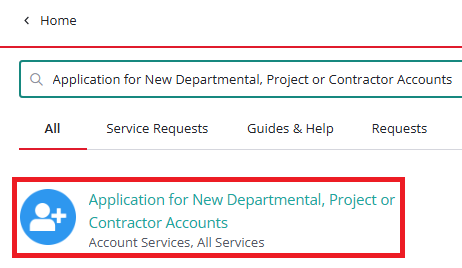
Search “Application for New Departmental, Project or Contractor Accounts”.

Click the Service Request to make the request.
Manage Departmental, Project and Contractor Accounts
- Manage Departmental, Project and Contractor Accounts
- Activate new departmental, project and contractor account
- Register and using 2FA service for departmental, project and contractor account
- Renew account expiry date / update administrator or custodian information
- Expiry Accounts / Staff movement / Account Disabling handling for departmental, project and contractor accounts